Pocket T-Shirt Printing Guide
Everything you need to know about printing on pocket tees, including size limits, decoration methods, and design considerations.
Pocket T-Shirt Printing Overview
Pocket t-shirts offer a classic, casual look that's popular for workwear, uniforms, and everyday apparel. Adding a logo to a pocket tee creates a distinctive, professional appearance—but it comes with unique considerations compared to standard left chest printing.
Whether you're customizing pocket tees for your business, team, or event, understanding the limitations and best practices for pocket printing ensures you get the best results.
Why Choose Pocket Tees?
- Practical Functionality: Pockets hold pens, small tools, or business cards
- Classic Aesthetic: Timeless workwear look that's always in style
- Unique Branding: Logo placement on the pocket stands out from standard prints
- Professional Appeal: Popular for service industries, trades, and hospitality
Pocket Print Size Limitations
The pocket itself limits how large your design can be. Understanding these constraints helps you plan your design effectively.
Standard Pocket Dimensions
| Pocket Type | Typical Size | Max Print Area | Max Embroidery |
|---|---|---|---|
| Standard T-Shirt Pocket | 4" x 5" | 3" x 3" | 2.5" x 2.5" |
| Large/Utility Pocket | 5" x 6" | 4" x 4" | 3" x 3" |
| Polo Shirt Pocket | 3" x 4" | 2.5" x 2.5" | 2" x 2" |
| Button-Down Pocket | 4" x 5" | 3" x 3" | 2.5" x 2.5" |
Why These Limits Matter
- Seam Avoidance: Printing too close to pocket edges causes uneven application
- Stretching: Pockets stretch when items are placed inside—edge prints may distort
- Equipment Limits: Print platens must fit inside the pocket, limiting size
- Visual Balance: Designs that overwhelm the pocket look unprofessional
Decoration Methods for Pockets
Not all printing methods work equally well on pockets. Here's how the main options compare:
Embroidery
The preferred method for pocket decoration. No separation required, premium look, extremely durable.
Screen Printing
Possible but requires pocket separation during printing. Good for flat graphics and bold designs.
Heat Transfer / DTF
Works without pocket separation. Good for full-colour designs and photos. Easy application.
Method Comparison
| Factor | Embroidery | Screen Print | Heat Transfer |
|---|---|---|---|
| Pocket Separation Needed? | No | Yes | No |
| Durability | Excellent | Very Good | Good |
| Detail Level | Medium | High | Very High |
| Premium Look | Yes | No | No |
| Production Speed | Slower | Medium | Fast |
Design Tips for Pocket Printing
Sizing Your Logo for Pockets
- Scale Down: Take your standard logo and reduce it to fit within 2.5-3 inches
- Simplify: Remove fine details that won't be visible at small sizes
- Test Readability: Print your design at pocket size on paper to check legibility
- Consider Shape: Square and circular logos work best on pockets
Design Elements That Work
- Simple logo marks or icons
- Bold, sans-serif text
- High-contrast colour combinations
- Initials or monograms
- Small mascots or symbols
Design Elements to Avoid
- Thin lines under 2pt weight
- Small text (under 8pt)
- Gradient effects
- Highly detailed illustrations
- More than 3-4 colours (for embroidery)
Good for Pockets
- Company initials (ABC)
- Simple icon/symbol
- Bold company name
- Circular badge design
- Small mascot
Avoid on Pockets
- Full logo with tagline
- Detailed illustrations
- Address/phone number
- Photographic images
- Complex multi-colour designs
Pocket vs. Left Chest Placement
Sometimes it makes more sense to print above or beside the pocket rather than on it. Here's how to decide:
When to Print ON the Pocket
- Your logo is 3 inches or smaller
- You want a unique, distinctive look
- The pocket is a functional feature you want to highlight
- You're doing embroidery (no separation needed)
- Budget allows for pocket-specific printing costs
When to Print ABOVE the Pocket
- Your logo is larger than 3 inches
- You need high detail or multiple colours
- You want standard left chest sizing (3.5-4 inches)
- Budget is a primary concern
- You're ordering mixed pocket and non-pocket shirts
Positioning Above the Pocket
When printing above a pocket, position the design:
- Vertically: 1-1.5 inches above the pocket top edge
- Horizontally: Centered over the pocket or slightly offset
- Size: Standard left chest dimensions (3.5-4 inches)
Pocket Printing by Garment Type
T-Shirt Pockets
- Standard size: 4" x 5" with 3" x 3" max print
- Most flexible for printing methods
- Both screen print and embroidery work well
- Popular styles: Gildan 2300, Hanes 5590, Comfort Colors 6030
Polo Shirt Pockets
- Smaller pockets: 3" x 4" with 2.5" max print
- Embroidery is the standard method
- Screen printing rarely done on polo pockets
- Consider removing pocket for larger logo needs
Work Shirts & Button-Downs
- Often have two chest pockets
- Single pocket embroidery is standard
- Flap pockets add complexity—print below the flap
- Name badges often go on opposite pocket
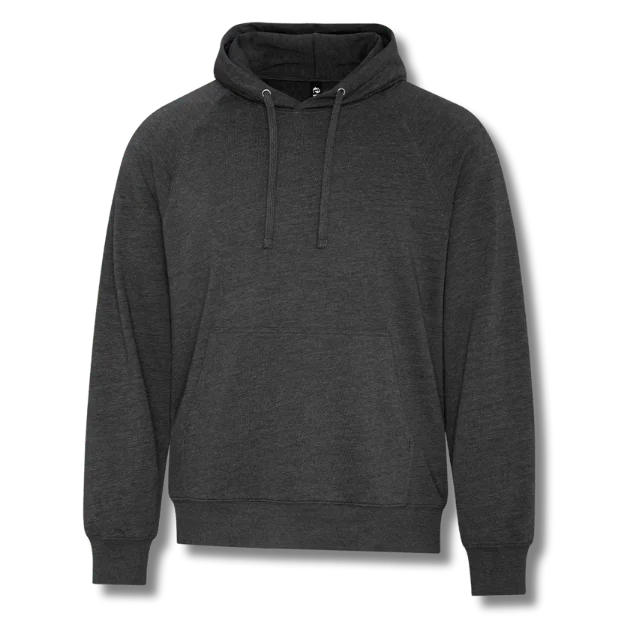
Hoodie & Sweatshirt Pockets
- Kangaroo pockets are NOT suitable for logo printing
- Some hoodies have small chest pockets—treat like t-shirt pockets
- For kangaroo pocket hoodies, print above the pocket or on the back
Ordering Tips for Pocket Tees
Before You Order
- Measure Your Logo: Ensure it fits within pocket size limits
- Specify Pocket Printing: Clearly indicate "print on pocket" vs. "print above pocket"
- Request a Proof: See a mockup showing exact placement before production
- Confirm Method: Verify whether embroidery or printing will be used
Cost Expectations
| Item | Additional Cost | Notes |
|---|---|---|
| Pocket tee blank (vs. non-pocket) | +$2-5 | Varies by brand/quality |
| Screen printing on pocket | +$1-3/shirt | Pocket separation fee |
| Embroidery on pocket | +$3-6/shirt | Based on stitch count |
| Heat transfer on pocket | +$2-4/shirt | No separation needed |
Quality Checklist
- Logo is properly scaled for pocket size
- Design is centered on pocket
- No ink/thread bleeding through pocket
- Pocket seams are intact and not damaged
- Print/embroidery is even across all shirts
Frequently Asked Questions
Standard t-shirt pockets are approximately 4x5 inches. The maximum recommended print area is 3x3 inches to allow for margins and prevent printing on pocket seams. Some printers can go slightly larger (3.5x3.5 inches) depending on the specific pocket style.
Yes, but it requires special handling. The pocket must be separated from the shirt body during printing to prevent ink bleeding through. This adds setup time and cost. Heat transfer and embroidery are often more practical alternatives for pocket printing.
Embroidery is often preferred for pocket printing because it doesn't require separating the pocket, produces durable results, and adds a premium look. Screen printing works for flat graphics but requires more setup. Choose based on your design complexity and budget.
If your logo is larger than 3x3 inches or highly detailed, printing above the pocket (standard left chest position) is better. For small, simple logos under 3 inches, printing directly on the pocket creates a unique look. Consider your design size and style when deciding.
Yes, typically $1-3 more per shirt. Pocket printing requires additional setup (separating the pocket) and slower production. The pocket tee blanks themselves may also cost slightly more than non-pocket versions. Embroidery on pockets has similar cost considerations.
Designs that extend beyond the pocket onto the shirt body are possible but challenging. This requires precise alignment and may cost significantly more due to the complex setup. Most printers recommend keeping designs contained within the pocket area or above it entirely.
Polo pockets are typically smaller than t-shirt pockets (around 3x4 inches). Embroidery is the standard for polo pockets due to the fabric type. Maximum embroidery size is usually 2.5x2.5 inches. For larger logos, remove the pocket or print above it.
Square pockets with flat seams are easiest to print on. Rounded or curved pocket edges create challenges for screen printing alignment. Patch pockets (sewn on after shirt construction) are typically easier to customize than set-in pockets.
Ready to Order Custom Pocket Tees?
Get a quote on pocket t-shirts with professional logo printing or embroidery.
Continue Exploring
Custom T-Shirts
From $8.99 — 100+ styles
Custom Hoodies
Pullover & zip-up styles
Custom Polo Shirts
Corporate & team wear
Explore More Resources
Local Services
Buying Guides
- How to Choose the Right T-Shirt
- Pricing Guide
- Best Custom T-Shirts Toronto
- Best Custom T-Shirts Montreal
- Custom T-Shirt Printing Costs Canada
- Custom Apparel for Podcasters
- Screen Printing vs DTF vs Embroidery
- Logo Placement Guide
- Production Timelines
- Same-Day Printing
- Rush Screen Printing
- Next-Day T-Shirt Printing
Comparisons
Top Reviews
Our Services: T-Shirt Printing · Screen Printing · Embroidery · DTF Printing · DTG Printing · Sublimation · Heat Transfer
More Canadian Cities: Kitchener · London · Windsor · Victoria · Surrey · Saskatoon · Regina · Halifax