










The Remote Team Challenge
The shift to remote and hybrid work has transformed how companies approach team building and employee engagement. With employees scattered across provinces, cities, and even countries, traditional office perks like company culture, visual brand unity, and team bonding have become more challenging to deliver.
Custom branded apparel offers a powerful solution for remote teams. When every employee receives high-quality company swag delivered directly to their door, it creates a tangible connection to the organization and fosters team unity—even when team members have never met in person.
Distributed Logistics
Managing shipping to dozens or hundreds of individual addresses across multiple provinces, time zones, and even countries.
Team Unity
Building cohesive company culture when employees never gather in a physical office or meet face-to-face.
Onboarding Experience
Creating memorable first impressions for new hires who start their jobs from home without traditional office tours.
Why Branded Apparel Matters for Remote Teams
Studies show that remote employees wearing company-branded apparel during video calls report feeling more connected to their teams and organization. Branded clothing serves multiple purposes:
- Visual Unity: Creates a cohesive appearance during all-hands meetings and team video calls
- Belonging: Helps remote workers feel like valued members of the team, not isolated contractors
- Brand Advocacy: Turns employees into walking billboards when they wear company gear in public
- Conversation Starters: Branded apparel sparks organic discussions about the company with family, friends, and neighbors
- Professional Identity: Reinforces professional boundaries when working from home
Multi-Address Shipping Solutions
One of the biggest concerns companies have when outfitting remote teams is logistics: "How do we get custom apparel to 50 employees in 50 different locations without creating a shipping nightmare?" The good news is that modern fulfillment platforms and experienced custom apparel providers like T-Shirt Elephant make this surprisingly straightforward.
How Multi-Address Shipping Works
Instead of shipping one bulk order to your office and handling individual distribution yourself, multi-address shipping (also called split-order or direct-to-employee shipping) sends each employee their custom items directly from the production facility.
Collect Employee Information
Gather names, sizes, and shipping addresses using a Google Form, Typeform survey, or export from your HR software. Include both residential and business addresses as needed.
Place Your Order
Submit your order with a spreadsheet containing all employee details. We'll verify addresses and flag any potential delivery issues before production begins.
Production & Quality Check
All apparel is printed or embroidered with your logo, then sorted and packaged individually by employee. Each package is labeled with the recipient's name and address.
Direct Delivery
Packages ship directly to each employee via Canada Post or courier service. You receive tracking numbers for every shipment to monitor delivery status.
Cost Considerations: Individual vs. Consolidated Shipping
Multi-address shipping costs more than sending one bulk package to a single location, but it saves you the time, labor, and expense of handling redistribution yourself. Here's how to evaluate the cost difference:
| Approach | Shipments | Labor Required | Best For |
|---|---|---|---|
| Bulk to Office | One shipment | High - sorting, repackaging, individual shipments | Small teams (under 10), office-based with some remote |
| Direct to Employee | One shipment per address | None - handled by fulfillment | Fully remote teams, distributed workforce |
| Regional Consolidation | One shipment per regional hub | Low - ship to regional hubs, local distribution | Larger teams with regional clusters |
Money-Saving Tip
Orders over $250 CAD qualify for free shipping at T-Shirt Elephant. This threshold applies to the total order value, not individual shipments. A 20-person team ordering Gildan 18500 hoodies ($33.70 each at 20 with a one-colour print) meets the threshold and can receive direct-to-employee shipping at significantly reduced rates or free.
Tracking & Delivery Confirmation
When shipping to multiple addresses, visibility is crucial. You need to know which employees have received their items and which packages may be delayed or require address corrections.
We provide:
- Individual Tracking Numbers: Every shipment gets a unique Canada Post or courier tracking number
- Delivery Dashboard: View delivery status for all shipments in one centralized portal
- Automated Notifications: Employees receive shipping confirmation emails with tracking links
- Delivery Reports: Export CSV reports showing which addresses have been successfully delivered
- Issue Alerts: Immediate notification if packages are returned due to address errors
Canadian Provincial Considerations
Shipping across Canada comes with unique considerations based on provincial location:
- Ontario & Quebec: Fastest delivery (2-4 business days from Toronto production facility)
- Alberta & BC: Standard delivery in 5-7 business days, expedited available in 2-3 days
- Atlantic Provinces: 5-7 business days standard, allow extra time during winter weather
- Northern & Remote Areas: 7-14 business days, higher shipping costs may apply for very remote locations
- No Provincial Duties: All shipments within Canada have no customs or provincial border fees
Address Accuracy is Critical
Address errors are the #1 cause of delivery delays and returned packages. Always verify employee addresses before submission, especially for rural routes and apartment numbers. We recommend asking employees to confirm their shipping address even if it's already on file in your HR system.
Building Effective Onboarding Kits
Remote employee onboarding kits (also called welcome boxes or swag boxes) have become essential for creating positive first impressions with new hires who may never visit your physical office. The right onboarding kit communicates company values, builds excitement, and helps new employees feel immediately connected to your team.
Essential Items Checklist
Core Onboarding Kit Components
- 2-3 pieces of branded apparel (t-shirt, hoodie, or hat)
- Personalized welcome letter from CEO or hiring manager
- Company stickers, pins, or other small branded items
- High-quality notebook or journal with company logo
- Pen or other office supplies in brand colors
- Tech accessory (mousepad, webcam cover, laptop stickers)
- Optional: Local gift card, snacks, wellness items
Branded Apparel Recommendations
Choose apparel items that employees will actually wear, both on video calls and in their daily lives:
Best Performing Items
Items remote employees love and wear regularly:
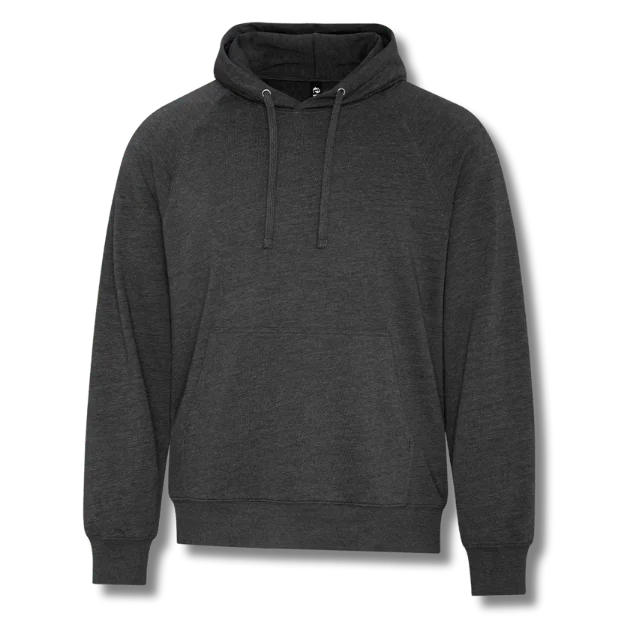
- Premium hoodies or zip-ups (work-from-home favorite)
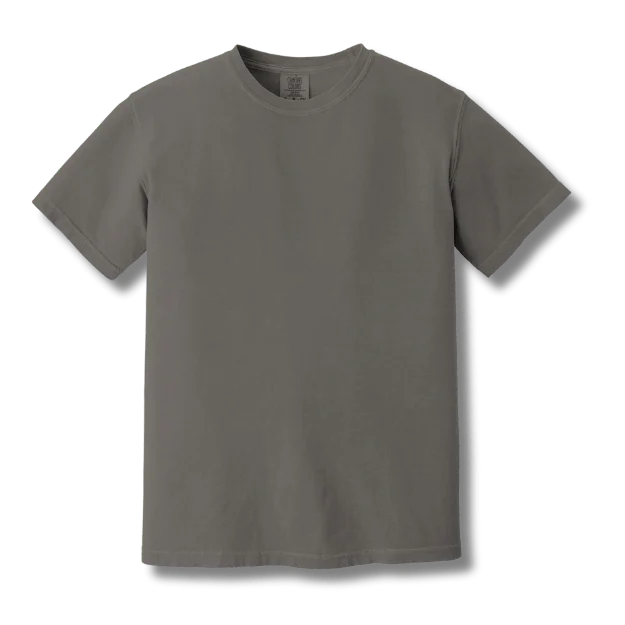
- Soft tri-blend t-shirts in modern fits
- Beanies or toques for casual video calls
- Quarter-zip pullovers (professional yet comfortable)
- Crew neck sweatshirts (versatile for all seasons)
Items to Reconsider
Often well-intentioned but less practical for remote workers:
- Polo shirts (unless your culture is very formal)
- Button-up dress shirts (rarely worn at home)
- Ties or formal accessories
- Heavy jackets (unless for outdoor work)
- Athletic shorts (too casual for video calls)
Budget Tiers for Onboarding Kits
Onboarding kit budgets vary widely based on company size, industry, and hiring volume. Here are three common tiers:
Essential Kit
- 1 premium t-shirt
- Welcome letter
- Company stickers
- Branded pen
Standard Kit
- 1 hoodie or crew sweatshirt
- 1 t-shirt
- Welcome letter
- Branded notebook
- Stickers & pins
- Mousepad or tech item
Deluxe Kit
- 1 premium hoodie
- 1 quarter-zip pullover
- 1 t-shirt
- 1 beanie or hat
- Full welcome package
- Premium tech accessories
- Personalized items
What to Include in Welcome Materials
Beyond the physical items, thoughtful written materials make onboarding kits memorable:
- Handwritten Welcome Note: Personal message from CEO, manager, or team lead welcoming the employee by name
- Team Roster Card: Photos and names of team members they'll work with (helps put faces to Zoom names)
- Company Values Card: Beautifully designed card outlining mission, vision, and core values
- QR Code to Welcome Video: Link to personalized video message from the team
- First Week Guide: What to expect in the first week, important meetings, key contacts
- Swag Care Instructions: How to wash and care for branded apparel to maximize longevity
Personalization Adds Value
Consider adding personal touches like printing the employee's name on one item, including a handwritten note from their direct manager, or adding a small gift card to a local coffee shop in their city. These small gestures significantly increase the emotional impact of onboarding kits.
Timing Your Onboarding Kit Delivery
Coordinate delivery timing carefully for maximum impact:
- Ideal Timing: Deliver 2-3 days before the employee's official start date
- Early Excitement: Builds anticipation and allows employees to try on items before day one
- First Day Alternative: Some companies time delivery for the employee's first day for an immediate "wow" moment
- Avoid Late Delivery: Never let kits arrive after the first week—it reduces impact significantly
- Production Lead Time: Order kits 3-4 weeks before start dates to account for production and shipping
Collecting Sizes from Remote Workers
One of the trickiest aspects of ordering apparel for remote teams is collecting accurate size information from employees you may have never met in person. Poor size data leads to ill-fitting apparel, size exchanges, and disappointed employees. Here's how to get it right the first time.
Digital Survey Tools
Use online survey tools to collect size information efficiently:
Google Forms
Free, simple, integrates with Google Sheets. Perfect for small to medium teams. Include dropdown menus for sizes and text fields for shipping addresses.
Typeform
Beautiful interface, conditional logic, better user experience. Ideal for larger teams or when you want to make a strong impression.
BambooHR / Workday
Collect size info directly in your HR platform during onboarding. Keeps all employee data centralized and easily exportable.
Company Store Portal
Set up a self-service ordering portal where employees log in, select items, choose sizes, and enter addresses themselves.
Size Chart Distribution Best Practices
Don't just ask "What's your t-shirt size?"—people interpret sizes differently across brands and regions. Instead:
- Link to Specific Size Charts: Provide direct links to manufacturer size charts for each garment (Gildan, Bella+Canvas, etc.)
- Include Measurement Instructions: Explain how to measure chest, waist, and length with a soft tape measure
- Compare to Known Brands: "Bella+Canvas runs similar to Lululemon" helps employees reference brands they know
- Offer Fit Guidance: Explain whether items run true to size, slim fit, or relaxed fit
- When in Doubt, Size Up: Most people prefer slightly larger apparel over too-tight items
Size Chart Example
Include this in your survey: "We're ordering Bella+Canvas 3001 unisex t-shirts. These run true to size with a modern retail fit. View the full size chart here. If you typically wear a Medium in retail stores, order a Medium. If you prefer a looser fit, size up."
Handling Size Exchanges
Even with careful size collection, some employees will need exchanges. Build this into your planning:
Order Buffer Stock
Order 5-10% extra inventory in the most common sizes (S, M, L, XL). Keep these at your office or a central location for quick exchanges.
Set Exchange Window
Give employees 2 weeks after delivery to request size exchanges. This ensures issues are caught quickly while buffer stock is available.
Simplify Returns
For smaller teams, let employees keep the incorrect size and just send the correct one. Return shipping often costs more than a $16.99 t-shirt (a one-colour Gildan 5000 at 24).
Document Preferences
Record the correct size in your HR system for future orders. Most employees will need the same size consistently.
Sample Size Collection Survey
Questions to Include
- Full name (as it should appear on shipping label)
- Shipping address (separate fields for street, city, province, postal code)
- T-shirt size (dropdown: XS, S, M, L, XL, 2XL, 3XL) with link to size chart
- Hoodie/sweatshirt size (if applicable) with size chart link
- Hat/beanie preference (if applicable): Adjustable, S/M, L/XL
- Preferred shipping location: Home or Office?
- Special instructions (apartment buzzer codes, gate codes, delivery notes)
Common Size Collection Mistakes
Avoid these pitfalls: Don't use generic "What size?" questions without context. Don't assume everyone knows their measurements. Don't forget to ask about fit preferences (some people size up for comfort). Don't skip address verification—bad addresses cause 80% of delivery issues.
Virtual Team Building with Matching Apparel
Custom apparel isn't just functional—it's a powerful team building tool. When used strategically, branded clothing creates shared experiences, visual cohesion, and memorable moments that strengthen remote team bonds.
Launch Day Reveals
Turn apparel delivery into a team event with a coordinated "unboxing" experience:
- Coordinated Delivery: Ship all packages to arrive on the same day, then schedule a team Zoom call for simultaneous unboxing
- Share the Excitement: Encourage employees to share photos on company Slack or Teams channels
- Social Media Moment: Create a branded hashtag for employees to share their swag on personal social accounts
- Photo Collage: Compile all employee photos wearing their new gear into a team collage for the office or website
- Video Montage: Create a short video of team members in their new apparel for company all-hands meetings
Team Photo Opportunities
Coordinate virtual team photos when everyone has matching apparel:
"About Us" Page Photos
Refresh your website's team page with everyone wearing branded apparel. Creates a polished, cohesive look even with remote team members.
- Send photography guidelines (lighting, background, framing)
- Collect high-res photos from all team members
- Edit for consistent look and feel
Annual Team Photo Day
Schedule a "Team Photo Day" where everyone wears the same item and takes a professional headshot or casual photo.
- Hire a local photographer in each city for team leads
- Provide DIY photo guide for remote employees
- Create digital team yearbook or poster
Seasonal Refresh Programs
Keep team spirit alive with regular apparel updates throughout the year:
| Season | Apparel Type | Team Building Angle |
|---|---|---|
| Spring | Lightweight t-shirts, baseball caps | Kick-off refresh, new fiscal year energy |
| Summer | Tank tops, performance tees, shorts | Summer social events, outdoor team activities |
| Fall | Hoodies, crew sweatshirts, beanies | Back-to-work energy, cozy video call vibes (MOST POPULAR) |
| Winter | Quarter-zips, fleece pullovers, toques | Holiday gifts, end-of-year appreciation |
Anniversary & Milestone Apparel
Celebrate employee anniversaries with exclusive apparel items. Create "1 Year Club" hoodies, "Founding Team" jackets, or department-specific designs. These become cherished items that recognize tenure and achievement.
Creative Virtual Team Building Ideas with Apparel
Matching Mondays
Designate Mondays as "branded apparel day" where everyone wears company gear on video calls. Creates visual unity and ritual.
Department Design Competition
Let each department design their own custom apparel. Sales vs Marketing vs Engineering battles boost team identity.
Virtual Race or Event
Organize a virtual 5K run/walk where everyone receives branded athletic tees. Share photos crossing "finish lines" across the country.
Holiday Swag Boxes
Send themed holiday apparel (ugly sweater hoodies for Christmas, themed tees for Canada Day) with virtual party invitations.
Company Store Options
For larger remote teams or companies with frequent apparel needs, a custom company store (also called a company swag store or employee portal) offers a scalable, self-service solution that empowers employees to select their own items while maintaining brand consistency.
How Company Stores Work
A company store is a private, password-protected online portal where approved employees can browse, select, and order branded merchandise:
Setup & Configuration
We build a custom storefront with your branding, pre-approved items, and pricing. You control which products appear, price points, and who has access.
Employee Access
Employees receive login credentials (often through SSO integration with your existing systems) and can access the store anytime.
Selection & Ordering
Employees choose items, select sizes, and enter their shipping addresses. Orders can be free (company-funded), subsidized, or paid by employees.
Fulfillment & Delivery
Orders are produced and shipped directly to employees. You receive consolidated invoicing and reporting on all activity.
Self-Service Ordering Portals
Benefits of self-service company stores for remote teams:
- Employee Choice: Let employees select items they'll actually wear instead of one-size-fits-all distributions
- Always-On Availability: New hires can order onboarding kits immediately, existing employees can reorder worn-out items
- Reduced Admin Burden: No more collecting sizes, managing spreadsheets, or coordinating shipments manually
- Real-Time Inventory: See what's popular, what's sitting, and adjust offerings based on data
- Budget Control: Set spending limits per employee or department to control costs
- Consistent Branding: Only approved logo files and colors are used, maintaining brand standards
Allowance & Stipend Programs
Many companies fund employee apparel through allowance or credit systems:
Credit System
- Employees can spend $100 of credit each year
- Choose any items up to limit
- Credits reset each year
- Option to purchase beyond allowance
Hybrid Model
- New hires can spend $150 of onboarding kit credit
- All employees can spend $50 of refresh credit annually
- Milestone bonuses (anniversaries)
- Most popular approach
Full Subsidy
- All items are free for employees
- Approval workflow for large orders
- Best for small teams or high-value roles
- Strongest brand visibility
Approval Workflows
For cost control and oversight, many companies implement approval workflows:
- Auto-Approve Under Threshold: Orders under $50 auto-approve, larger orders require manager budget approval
- Department Manager Review: All department orders go to the department head for budget approval
- Quarterly Limits: Employees can order once per quarter without approval, additional orders need justification
- Role-Based Rules: Executives have unlimited access, individual contributors have set limits
Company Store Analytics
Track employee engagement through store analytics: most popular items, seasonal trends, adoption rates by department, and total program costs. Use this data to optimize your offerings and budget allocation over time.
Integration with HR Tools
Modern company stores integrate with your existing systems for seamless operation:
- SSO (Single Sign-On): Employees use their existing company credentials to access the store—no separate login to remember
- BambooHR / Workday Integration: New hires are automatically added to the store when they're added to your HR system
- Zapier Automation: Trigger actions like "new hire added → send onboarding kit email" automatically
- Salesforce Integration: For sales teams, tie swag rewards to deal closures or quota achievement
- Slack/Teams Notifications: Notify employees when new items are added or when their credits refresh
International Shipping Considerations
Many Canadian companies now have remote employees living in the United States or other countries. Shipping custom apparel internationally requires additional planning around customs, duties, timelines, and costs.
Customs & Duties
When shipping outside Canada, packages may be subject to customs inspections and import fees:
- Customs Forms Required: All international shipments need commercial invoices declaring contents and value
- Import Duties: The recipient (employee) is typically responsible for any customs duties or taxes upon delivery
- De Minimis Thresholds: Small-value shipments may be exempt
- Harmonized Codes: Apparel is classified by HS codes which determine duty rates (we handle this)
- Unexpected Delays: Customs can hold packages for inspection, adding 3-10 days to delivery time
Delivery Timelines by Country
| Destination | Standard Delivery | Expedited Available | Typical Duties/Taxes |
|---|---|---|---|
| United States | 7-12 business days | 3-5 days (UPS/FedEx) | Low |
| Mexico | 10-15 business days | 5-7 days | Moderate (VAT + duties) |
| UK/Europe | 10-20 business days | 5-8 days | High (VAT 15-25%) |
| Australia/NZ | 15-25 business days | 7-10 days | Moderate (GST 10-15%) |
Who Pays International Fees?
Clarify with employees upfront who pays customs duties and taxes. Options include: (1) Employee pays upon delivery, (2) Company pre-pays using DDP (Delivered Duty Paid) shipping, or (3) Company reimburses employee for duty fees. Set clear expectations to avoid surprise charges.
Cost Management Strategies for International Teams
Shipping internationally is expensive, but these strategies can help control costs:
Regional Fulfillment Centers
For teams with many employees in one country (e.g., 20+ in the US):
- Ship bulk inventory to a US-based fulfillment partner
- Distribute domestically from US location to US employees
- Saves on per-package international shipping costs
- Faster delivery and no customs delays
Hybrid Model
Use different approaches based on employee concentration:
- Canadian employees: Direct from Toronto facility
- US employees (10+): Bulk to US fulfillment center
- International (few): Direct international shipping
- Optimize costs based on volume by region
Simplifying International Logistics
We can help manage international complexity:
- Consolidated Invoicing: One invoice for all international shipments regardless of destination country
- Customs Documentation: We prepare all required customs forms and declarations
- Duty Estimates: Get estimated duty costs upfront so employees know what to expect
- Carrier Selection: We recommend the best carrier based on destination (Canada Post, UPS, FedEx, DHL)
- Tracking Across Borders: Unified tracking portal even when packages cross international borders
Budget Rule of Thumb
For international shipping, budget approximately 30-50% more per employee than domestic shipping. A $100 onboarding kit might cost $130-150 when shipped to the US, and $150-180 for Europe/Australia when factoring in shipping costs and potential duties.
Frequently Asked Questions
Ready to Outfit Your Remote Team?
Get a free quote for multi-address shipping, onboarding kits, or a custom company store. We'll help you build a program that connects your distributed workforce.